La UX ou User experience, c’est l’expérience que les utilisateurs font de ton Produit.
Pour la connaître et l’améliorer il faut :
- Étudier comment les utilisateurs interagissent avec ton Produit et de leurs besoins. C’est la UX Research
- Utiliser les méthodes pour concevoir un Design de Produit qui permet aux utilisateurs de réaliser une tâche donnée afin de satisfaire leurs besoins donnés, dans un environnement donné, de la manière la plus efficiente et agréable possible.
- On parle de Conception centrée utilisateur
- Comme on ne peut pas faire bien du premier coup, il faut tester de manière Itérative
Ainsi il faut Trouver le besoin des gens (Need finding)
Modèle de UX : Améliorer l’expérience des utilisateurs
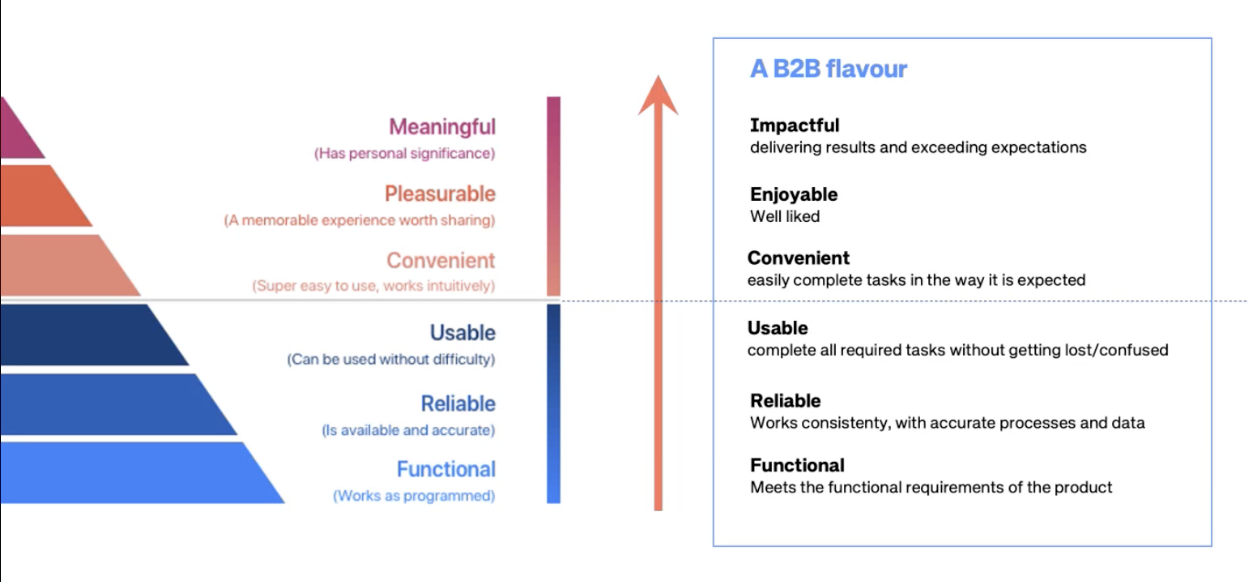
Le but est d’augmenter la qualité de ’expérience des utilisateurs. Le modèle ci-après montre qu’il faut des bases solides pour avoir l’expérience souhaitée:
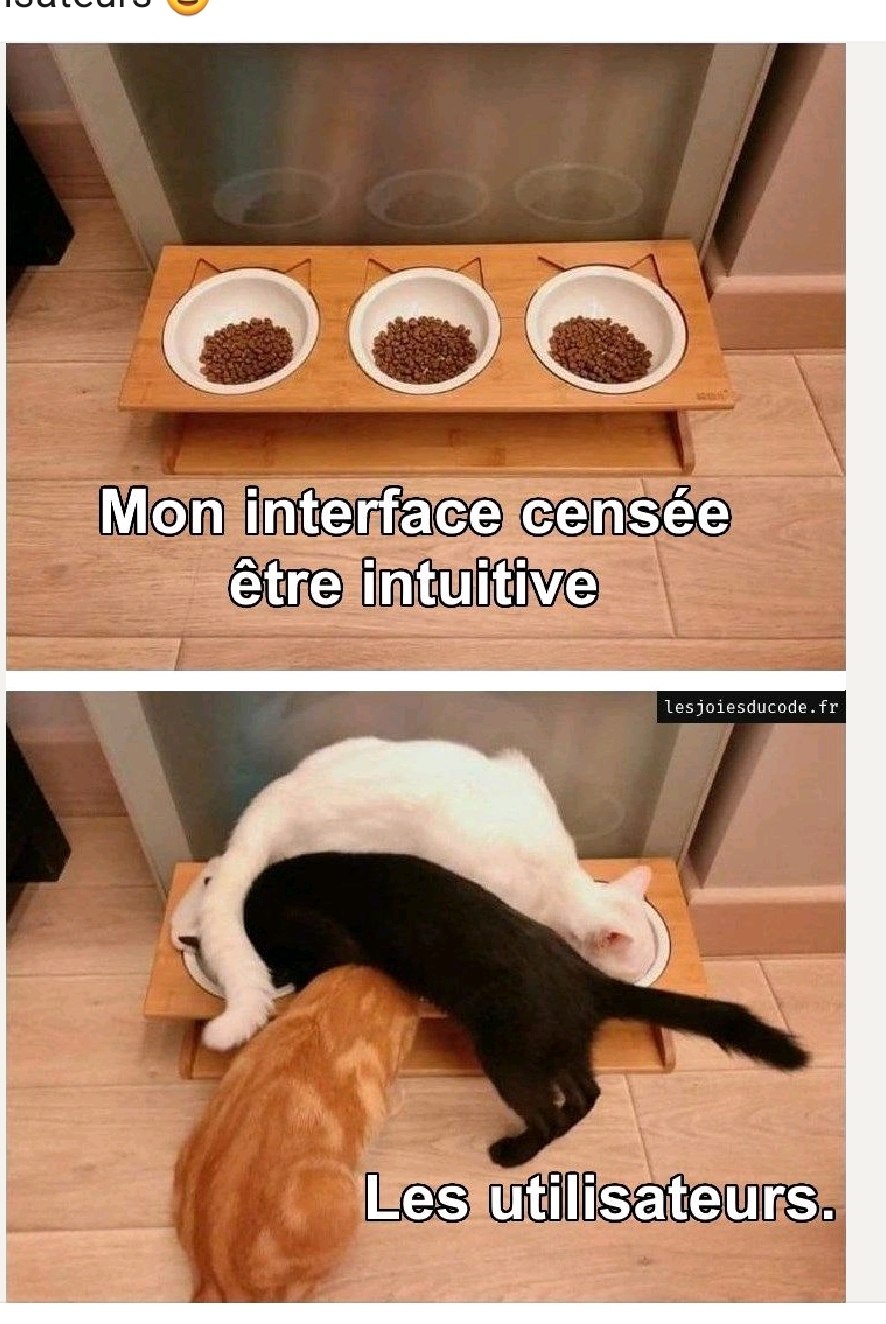
Blagues de UX
Principes UX et cognitifs
- Main UX quality criteria
- Psych Framework
- Design for System 1 thinking
- Pattern break
- Squint Test
- Retour clair et instantané
- En UX ce qui est beau paraît plus simple
- Principes de la Gestalt
- Signal vs Bruit
- Design like if the user is drunk
- Keep it simple stupid
- Principes ergonomiques
- Heuristiques/Critères ergonomiques
- Minimiser la Charge mentale
- Recognition rather than recall (plus facile de reconnaître quelque chose plutôt que de s’en souvenir)
- Discoverability in UX
Aller plus loin: https://www.dgp.utoronto.ca/~hunt/telechi/hcitools.html)
patterns UX
Livres et ressources UX
Livres :
- Designing interfaces
- Don’t make me think!
- What Ux Is Really About.pdf Ressources :
- EDHEC - Design Thinking.pdf
- UX maturity quizz NN group
- Audit usabilité
Choses à savoir pour devenir UX designer
- Principes ergonomiques de base
- Patterns UX de base
- UI Guidelines
- WCAG accessibility principles
- Design inclusif
- Outils de recherche utilisateur
- Tests utilisateurs, focus group, survey, diary studies, in-situ… NeedFinding.pdf
Mieux connaître ses utilisateurs
On a un Research repository qui centralise les besoins, attentes, pain points et manières de fonctionner des utilisateurs. Trouver le besoin des gens (Need finding)
On peut ensuite en faire des documents comme des Persona.
Recherches UX d’intérêt
- The labor illusion.pdf → Pourquoi il faut parfois simuler un temps d’attente pour une tâche perçue comme lourde
- To scroll or not to scroll.pdf montre que le scrolling peut affecter la compréhension négativement
UX Writing
UX Writing
“Effective UX microcopy is characterized by the following: a) it is clear, concise, and easy to understand, b) it takes on the voice and tone of the brand, c) it fits in visually and feels like a part of the design” — (1)
Similaire au Copywriting & Storytelling, mais dédié à la compréhension d’une interface visuelle. C’est la manière d’écrire un texte clair, concis et bien compris par l’utilisateur :
- How to write clear instructions (Google)
- L’utilisateur doit pouvoir répondre à 3 questions :
- Où suis-je ?
- Qu’est-ce que je peux faire ?
- Où est-ce que je vais ?
- how to write clearly - UX Writing guidelines.pdf
- The elements of style, à lire (lien)
Quelques trucs de UX writing
Effective microcopy fills a need, answers a question, or builds empathy (depending on the product in question), and develops trust. It should motivate users to take an action (e.g., registering for an account, completing a booking). Finally, good microcopy anticipates and addresses user issues (e.g., by preventing errors).
People scan text Eye-tracking research showed that “scanning text is an extremely common behavior for higher-literacy users”.
People read only 20% of text Users read only about 20% of the text on the average page.
Effet lollapalooza en UX writing Combining concise, scannable, and objective copy can lead to a significant improvement in usability (between 124% and 159%) by increasing user performance and satisfaction
Proximité Gestalt en UX writing Prices seem cheaper next to small-related words (e.g., less, low, tiny.) (1)
Guide better UX microcopy
Guide better UX microcopy
1. Use action verbs
Action verbs should be used instead of generic words. Yes/No should be avoided as they can be ambiguous and confusing to users.
Users have to read the dialog before they can take action. As discussed earlier, research has shown that most users scan the page for relevant information and don’t read all the information provided. This means that if they skip or misread the dialog, they’ll end up pressing the wrong button. Using passive labels forces users to do more work. By confirming the action on the button text, we reduce the chances of errors and require less effort from the users.
This can be seen in the example below (inspired by UX movement). When the dialog text is blocked so that only the buttons are visible, the button labels are the only information available to the user. Action verbs allow them to take action, but the buttons that use “Yes/No” labels don’t. Action verb button labels are more task-efficient and prevent user errors.
Action verb button labels are more task-efficient and prevent user errors.
2. Use task-specific language
Button copy should match the action. The buttons we use should always clearly describe what action the user takes when they click them. If users are unsure or surprised by what happens after clicking a button, something could be wrong with the microcopy.
A good example of this is the word “submit” which is a term that could be used for most buttons. As Anthony from UX Movement suggests: “When users read it, it’s unclear what happens because the label is not specific to the task” As a result, users question what the result of their action will be. A way to avoid this is by using a button label that describes the result of the user’s task.
This can be achieved by using task-specific words instead of generic labels. This provides clarity to users and gives them certainty to act. Remember, users usually scan the page for relevant information. To improve the UX, the form button should describe exactly what the user is doing in their task. For example, if they’re deleting a photo, a button that says ‘Delete’ tells users that clicking the action button will delete the photo. It’s clear and specific to their task (see example below).
Using task specific-language makes the label clearer (example on the right)
3. Consistency
When writing copy for buttons, it is important to keep consistency. Research has shown that consistency enables users to build an accurate mental model of the way a product works, so they end up having better UX. Deciding on specific rules for microcopy can help with this. For example, you can:
Choose amount of words: How many words on average should different components have? One, two, or more words per button.
Choose case: Capitalization should be consistently used throughout the product. You can choose between sentence case, title case, upper case, or lower case (more on that later…)
Label structure: You need to decide on a structure for labels. Are they including only a verb or a combination of verbs and nouns **(**e.g. ‘verb’ + ‘noun’, or ‘verb’, or ‘verb’ + a + ‘noun’)?
Agree on the meaning of certain words: subtle differences in word choice can have an impact on the UX. For example, as reported by Tobias van Schneider both “Request pricing” and “Get a quote” describe the same action but can produce different results depending on the product.
4. Use microcopy for transparency
Sometimes digital products can raise concerns for security and privacy reasons(e.g., users are asked for sensitive information). Microcopy can help us in these cases by alleviating the user’s potential concerns and building trust with them.
For example, if people feel insecure or suspicious while making a transaction, they can end up not completing their actions.
Bhatt provides some example scenarios:
Asking users for too much personal information
Unspecified details about guarantee/warranty/replacement of the product
Asking for credit card details for free trial subscriptions
Effective microcopy can inform the user why the information is being asked and how it will be used — C.Bhatt
A good example of this is shown below; Airbnb informs users that they “won’t be charged yet” by clicking reserve.
Screenshot from the Airbnb website.
5. Avoid Jargon
Effective microcopy should be conversational. Jargon and technical system details (e.g., errors codes) should not be used. Users should feel like they are talking to another human being, not a machine. Roberts suggests that “microcopy should use plain language and consist of the least number of words”. This means that we should avoid using jargon unless it’s necessary. This is something that is hard to achieve due to the familiarity we have with the products we work on and with specific terminology that we encounter on a daily basis. A way to combat this problem is by testing microcopy with users — do they understand the language we use?
An example of this is displayed below. Users are more likely to be familiar with the term “turn on” compared to “enable”.
Avoid using jargon
6. Pay attention to capitalization
According to Vaishnav Shravan “Capitalization is a tool in UX writing to improve comprehension and consistency of text elements and it needs to be given due importance”. The most popular types of capitalization are the following: sentence-case (capitalize only the first letter of a sentence and the proper nouns), title-case (Capitalise the First Letter of Every Word in a Sentence Except the Articles, Conjunctions, and Propositions), and upper-case (CAPITALIZE EVERY LETTER).
The appropriate style of capitalization depends on your product — you can read more about this here. In general, if you’re writing internationally-targeted content, use sentence case as it’s better for internationalization (unless the product is aimed at American audiences). Title case can be used for titles/subtitles/label texts (<4 words). In most cases (pun intended), it’s best to decide on a single format for consistency.
two examples of capitalization; title case on the left, sentence case on the right
7. Know your user
Good microcopy is supposed to inform and assist the users while they are using your product. To achieve this, it is important to know who they are and understand their needs. User-testing is necessary. As a result, effective microcopy should be tested. User interviews can help us understand our users better and A/B testing can be used to determine which variations of microcopy have the greatest effect on UX.
Sources
Original: https://uxpsychology.substack.com/p/how-to-optimize-button-microcopy
Title case vs sentence case in UX writing
Breaking down the pros & cons of using Title or Sentence case when writing UX copy.uxdesign.cc5 Rules for Choosing the Right Words on Button Labels
What your buttons say is as important as how they look. Using the wrong words on your button labels cause users…uxmovement.medium.com16 Rules of Effective UX Writing
by Nick Babichuxplanet.orgWriting UX copy for buttons and links - DESK Magazine
This is an excerpt from our upcoming UX Writing book, exploring how we (as designers and copywriters) can write copy…vanschneider.comWords and Actions - A Guide to Microcopy
What would happen if words were banned from apps and websites? There’d be UX chaos and catastrophe on a global scale…www.toptal.comHow People Read Online: The Eyetracking Evidence | NN/g Report
Content is the core of building positive relationships with users. However, we know that people don’t read digital…www.nngroup.comProvient de : UX Writing
Lien vers l'originalSource: https://uxpsychology.substack.com/p/how-to-optimize-button-microcopy
Provient de : UX
Lien vers l'original


FAQ de la UX
Q: Est-ce l’expérience qui dirige nos décisions en tant qu’UX, ou bien nos croyances et notre appui sur la méthodologie ? A: Les deux ! Q: Est-ce que c’est du bon sens ? A: il en faut, mais il faut aussi des méthodes et se confronter aux utilisateurs réels.
Liens: UI vs UX design Design inclusif Designing for stressed users